How APES Keeps Workflows Secure by Design
Whenever a business wants to let ordinary staff build their own automation, someone from IT eventually asks the same three questions. Where do the passwords go. What can this thing actually reach on the internet. And if something goes wrong, will we be able to tell what happened. Those are fair questions, and a workflow platform that cannot answer them clearly is not really ready for a real business to use.
APES answers all three by design rather than by policy. This post walks through exactly how, using the platform's own rules rather than a marketing description of them.
Secrets Never Live Inside the Workflow
The most common way an automation tool leaks a credential is embarrassingly simple. Someone pastes an API key directly into a field while building something, it gets saved as part of the workflow's definition, and from that point on, anyone with permission to read workflows can read the key too, whether or not they were ever meant to see it.
APES refuses to let this happen at the point of saving, not as an afterthought. Any field that needs a credential, such as the API key for an AI step, only accepts a reference to the platform's own secrets vault, written as a template such as secrets dot the name of the entry. If someone tries to paste a raw key into that field instead, the save is refused outright, with a message explaining exactly why. The actual value only gets resolved at the moment the workflow runs, inside the run itself, and it is never written back into the saved definition or shown in a trace.
This is a small rule with a large effect. It means an audit of a workflow's definition is also an audit of what credentials it touches, without anyone having to guess whether a stray value buried in a field is secret or not.
Every Workflow Declares Where It Is Allowed to Reach
The second question, what can this actually reach, is answered just as directly. Any step that calls out to another system, whether that is the HTTP step, the callback step, or the AI step, has to declare the exact hosts it is allowed to contact before it is ever allowed to run. There is no such thing as a workflow with open, ambient access to the internet. If a host was not written into that step's allow list, the request is refused, full stop.
This matters because it turns a question that would otherwise require reading every line of a workflow's logic into something a person can check in seconds. An auditor does not need to understand what a workflow does internally to know exactly which outside systems it can reach. That list is declared up front, in the workflow's own manifest, and it is the same list whether the workflow has three steps or thirty.
What Backs That Declaration Up
A declared allow list is only as good as the system enforcing it, so it is worth explaining what actually happens underneath one. When a workflow step is about to make an outbound call, the platform does not simply trust that the address looks fine. It resolves the host, checks every address that comes back, and refuses to connect if any of them fall into a private, loopback, or link local range, which is also where a cloud provider's internal metadata service normally lives, a common target in real world attacks against automation tools.
It goes further than that. Addresses can be written in disguised or encoded forms that some systems will quietly resolve to somewhere they should not. APES checks for exactly this and refuses those forms outright, whether they show up as a plain address or hidden inside another format. The platform also protects against the address changing between the moment it is checked and the moment the connection is actually made, closing off a timing trick that could otherwise let a host pass the check and then quietly point somewhere else a moment later.
There is one narrow, clearly labelled exception. During local development, a workflow is allowed to call back to the machine it is running on, so a developer can test against their own local server. In a real deployment, connections are required to use HTTPS, and that exception does not apply.
Every Run Knows Who Did What
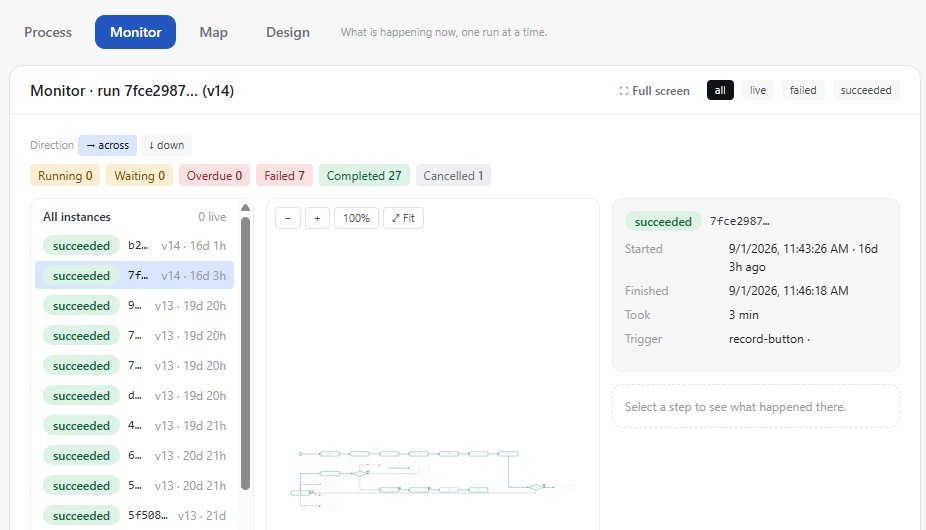
The third question is about accountability once something has actually happened, and this is where the platform's audit trail comes in. Every run of a workflow is attributed to the person or system that started it, and that attribution is not optional. When a workflow is triggered manually, the person who did it has their name attached to the run, and that name is what shows up on the audit trail, not a generic system account.
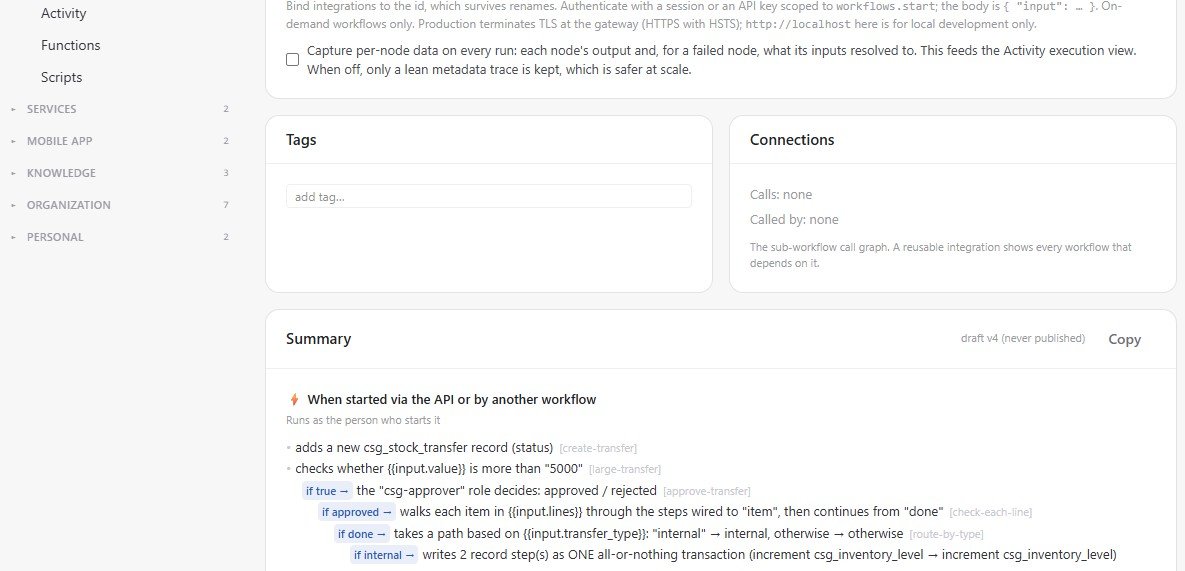
Teams can also choose how much detail a run keeps. By default, a workflow can capture what every step produced, and for any step that failed, what its inputs actually resolved to at the time, which is exactly the information someone needs to work out why something broke. For workflows that run at very high volume, that level of detail can be turned off in favour of a lighter metadata only trace, which keeps things running efficiently without losing the basic record of what ran and when.
Live workflows can also be protected from accidental changes. A workflow that is actively running in production can be locked, and unlocking it again requires the person doing so to confirm their own identity first. This does not stop a workflow from ever changing, teams still need to be able to improve their own processes, but it does mean a change to something live is a deliberate act by an identified person, not an accidental edit made while looking for something else.
Trust as a Feature, Not an Afterthought
None of this is unusual for a serious piece of business software. What is unusual is having all three answers, secrets kept out of workflow definitions, egress locked to a declared list and actually enforced against real address tricks, and a clear audit trail behind every run, built into the platform itself rather than left for each customer to configure correctly on their own. A team that understands its own process does not also need to become an expert in network security to build it safely.
The next post in this series steps back to look at the platform underneath all of this, how APES keeps one business's data and workflows completely separate from another's, even though every customer runs on the same shared platform.