Almost every business owner has now tried an AI assistant. It drafts an email in seconds, summarises a long document, answers a question that used to need an expert. The obvious next thought follows quickly: if it can do that, what could it do inside my company?
The second thought usually follows just as quickly, and it is a worried one. Who checks what the AI does? What if it approves something it should not, sends the wrong figure to a customer, or sees information it should never see? Can I trust it with real work, or only with drafts?
Both thoughts are right. AI can take a great deal of routine work off your team. But in a business, usefulness is not enough. Work has rules, approvals and responsibilities, and any worker, human or AI, has to operate within them. This guide is written for directors and senior managers who want to use AI in their operations in a way that saves time without giving up control.
What AI is actually good at in a business
It helps to be specific. Today's AI is very good at a particular kind of work: reading, understanding and producing text and documents.
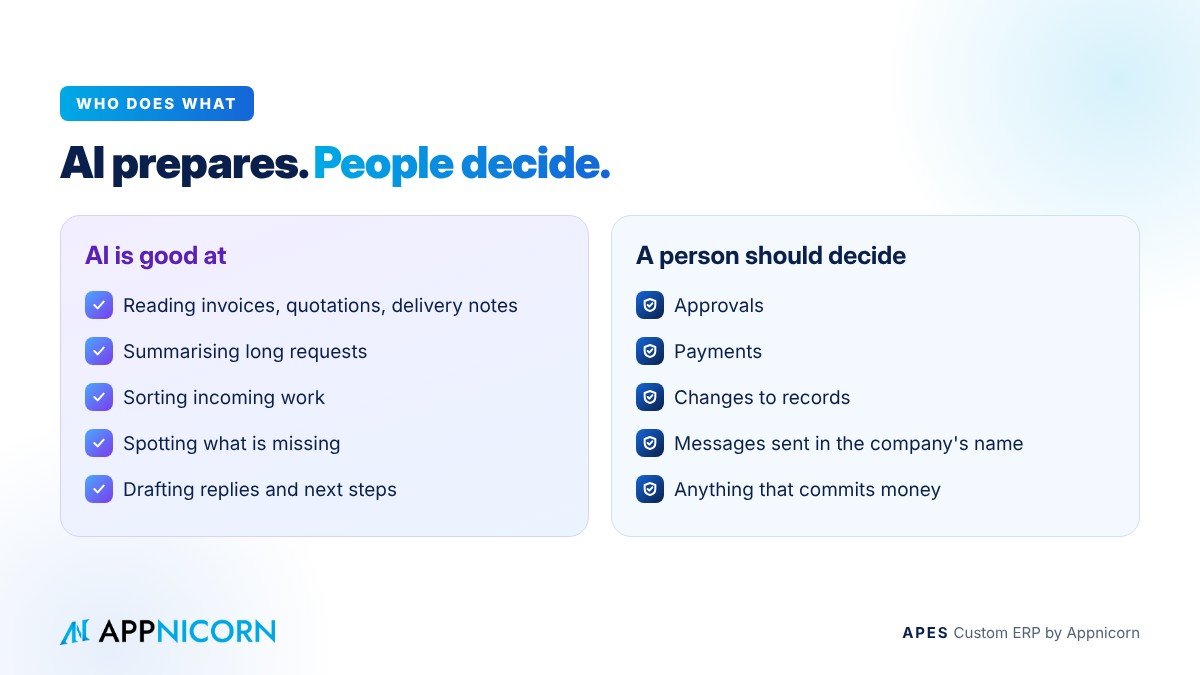
It can read a supplier's quotation, invoice or delivery note and pull out the key details: the supplier, the items, the quantities, the amounts, the dates. It can summarise a long request, contract or complaint so that a manager sees the essentials at a glance. It can classify incoming work, deciding whether an email is an order, a complaint, a payment query or a request for a quotation, and route it accordingly. It can check a request against a list of requirements and point out what is missing. And it can draft: a reply to a customer, a purchase justification, a summary for a weekly meeting, the next step in a process.
These are exactly the tasks that consume a surprising share of every office's day. They are repetitive, they need care, and they are rarely the best use of an experienced person's time.
What AI should not do on its own
The same qualities that make AI useful also make it risky when it acts without limits. AI can be confidently wrong. It can misread a figure, miss a detail that a person with context would catch, or follow an instruction too literally. Those mistakes are tolerable in a draft that a person reviews. They are not tolerable in a payment, an approval or a message sent to a customer in the company's name.
So the useful question is not "can AI do this task?" but "should AI be allowed to finish this task without a person?". For most decisions that commit money, change records or speak for the company, the answer should be no. AI should prepare the work. A person should decide.
The real risk: AI without rules
Most of the risk in business AI does not come from the AI itself. It comes from using AI outside the systems that hold the company's rules.
When staff paste customer data, prices or contracts into a public chatbot, the company loses sight of where that information goes. When AI drafts are copied into WhatsApp or email and sent without review, nobody can later tell which parts were written by a person and which by a machine. When an AI tool is connected to company systems with broad access, it can see and change far more than any one employee would be allowed to.
In each case, the problem is the same: the AI is working outside the business's controls. There is no record of what it did, no limit on what it can see, and no point at which a responsible person approves the result.
The principle that makes business AI safe
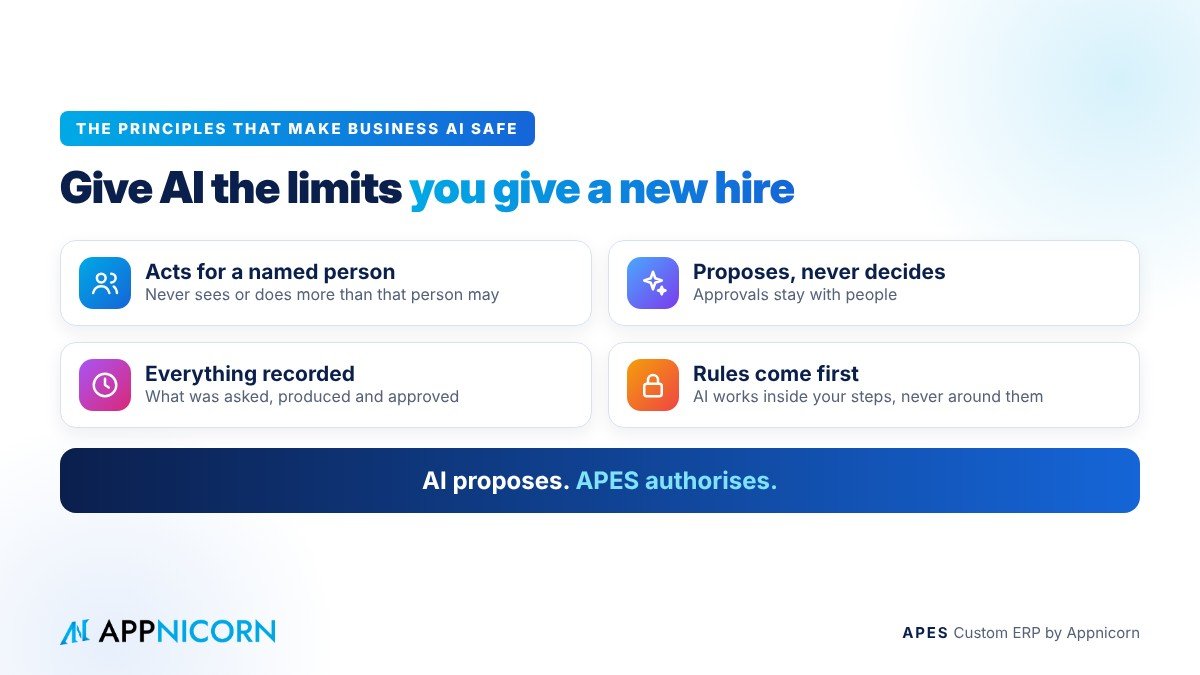
The answer is not to ban AI. It is to bring AI inside the system where your rules already live, and to give it the same kind of limits you give a new employee.
That rests on a few simple principles.
First, AI acts for a named person, never as an anonymous super-user. Whatever it does is done on behalf of someone specific, and it can never see or do more than that person is allowed to.
Second, AI proposes and people decide. The AI can read, summarise, extract, check and draft, but anything that commits the business, such as an approval, a payment, a change to records or a message to a customer, goes through the same approval rules as work prepared by a person.
Third, everything is recorded. What the AI was asked, what it produced and who approved the result are kept in the same audit trail as every other action, so the business can always see what happened and why.
And fourth, the rules come first. AI works inside workflows that already have defined steps, approvers and deadlines. It speeds up the work within those steps. It does not get to skip them.
A short way to put it: AI proposes, the system authorises.
What this looks like in daily work
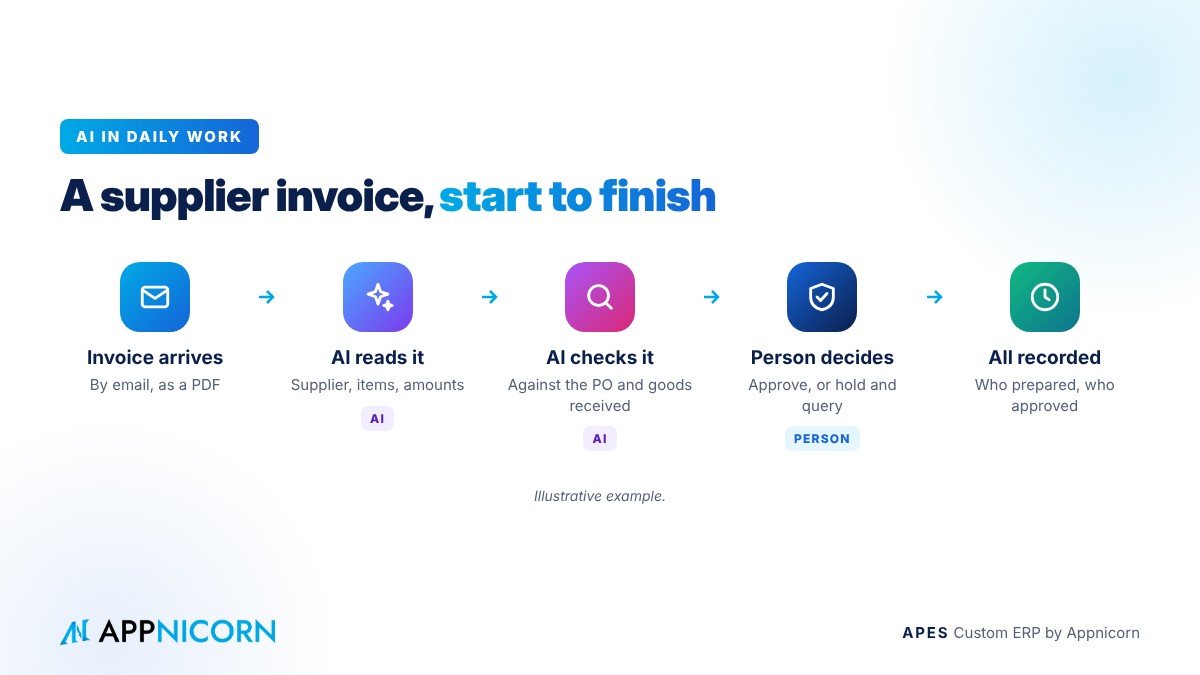
The examples below are illustrative, but they reflect the kind of work where AI inside a governed system saves real time.
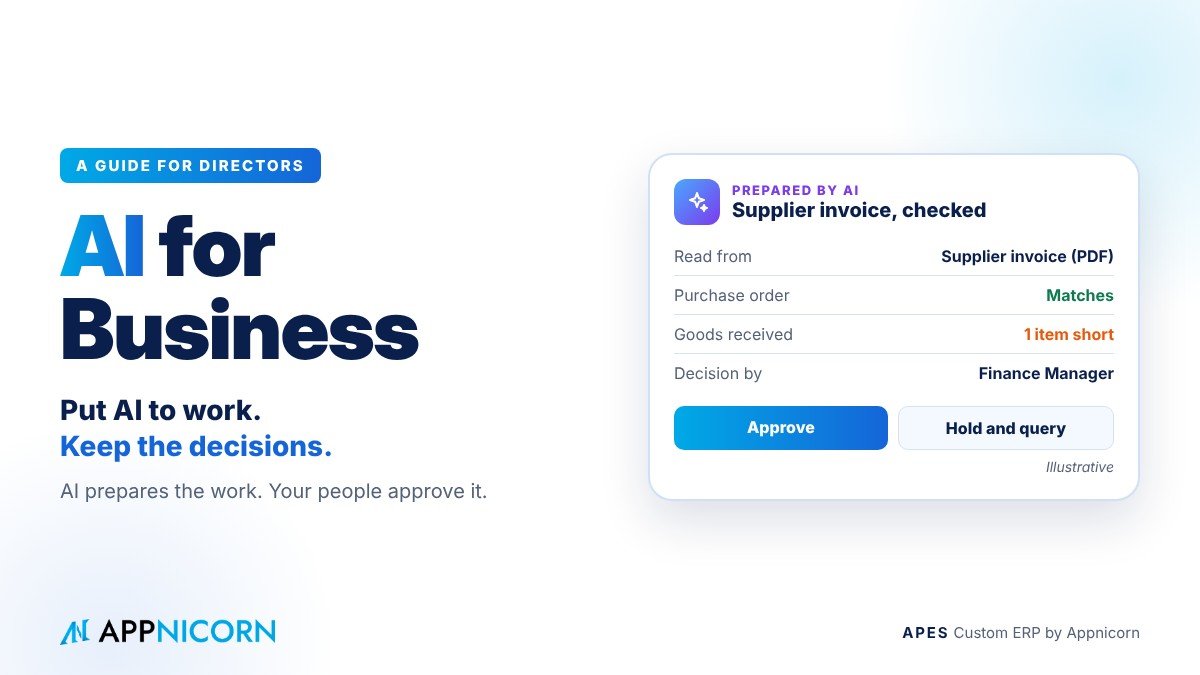
A supplier invoice arrives by email. Instead of someone typing it in, the AI reads it, extracts the supplier, items and amounts, and matches it against the purchase order and the goods received. Where everything agrees, the invoice goes to the approver with the match already shown. Where something differs, the AI points out exactly what, and a person decides.
A long purchase request comes in with three quotations attached. The AI summarises the request and compares the quotations in a few lines, so the approver can decide in a minute rather than reading every page. The decision is still the approver's, and it is recorded in their name.
A customer complaint arrives. The AI classifies it, pulls up the related order and delivery, and drafts a reply. The customer service lead reviews the draft, adjusts it and sends it. The record shows both the draft and the final version.
At month-end, the AI prepares a summary of what was approved, what is overdue and what was escalated, so management starts the meeting with the exceptions rather than the spreadsheets.
In each case the AI removes the tedious part of the work, and a person keeps the decision.
AI that helps you build, not just run
There is a second, newer way AI can help a business: by helping to design the system itself.
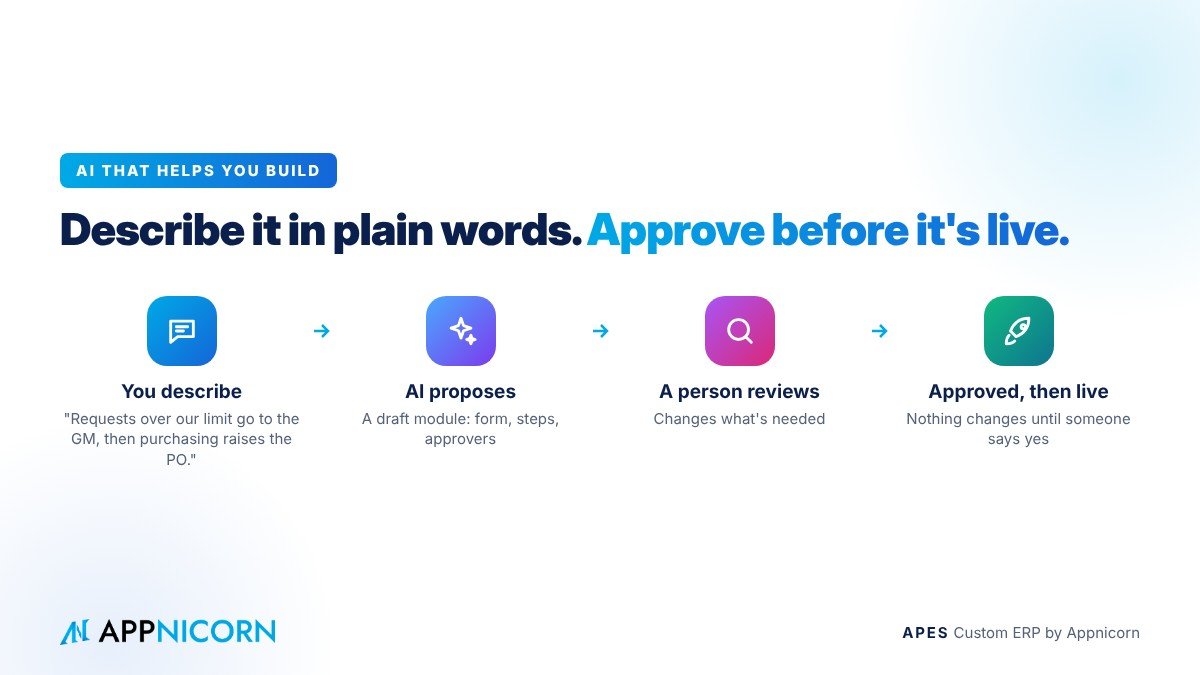
Describing a process in plain language is far easier than writing a specification. With the right platform, a manager can describe how a process should work, for example who submits a request, who approves it at which amount and what happens afterwards, and an AI assistant can turn that description into a proposed design for a new module or workflow. A person then reviews the proposal and decides whether it goes live.
The same principle applies here as everywhere else. The AI does the drafting. A responsible person checks and approves. Nothing changes in the live system until someone with the authority says yes.
Questions to ask before you put AI into your operations
Before introducing AI into business processes, a few questions are worth asking any provider, or your own team.
Whose permissions does the AI use, and can it ever see or do more than the person it works for? Which actions can it complete on its own, and which always need a person to approve? Is every AI action recorded alongside human actions, with enough detail to explain what happened later? Does it work inside your existing approval rules and workflows, or alongside them? Where does your company's data go when the AI reads it? And who in your business owns each process the AI touches?
If a provider cannot answer these clearly, the AI is probably working outside your controls rather than inside them.
How to start
The best place to start is with work that is high in volume, low in risk and already has a clear process. Reading and entering supplier documents, summarising requests for approvers, classifying incoming emails and drafting routine replies are common first steps.
Pick one. Make sure the process around it is already defined, with steps, approvers and deadlines. Introduce AI to prepare the work within that process, keep a person on every decision, and review the results after a few weeks. Once the team trusts it, extend it to the next task.
What you should not do is start with AI that acts on its own in areas that commit money or speak for the company. Trust is earned one process at a time, for AI just as for a new employee.
What directors gain
Done this way, AI changes the shape of the working day. Staff spend less time typing, checking and chasing, and more time on the judgement calls that need them. Approvers decide faster because the information arrives summarised and checked. Management sees exceptions earlier because routine work flows without delay. And the business keeps a clear record of every decision, whether a person or an AI prepared it.
Most importantly, the directors stay in control. The rules they set are applied to AI just as they are to people, and nothing that matters happens without the right person's approval.
APES: where AI is allowed to work, under your rules
APES (said "A-pes") is a custom ERP made by Appnicorn, a Malaysian IT company with years of experience building business systems. Every module in APES is customised to your company's unique needs, and APES was built so that AI can work inside it safely.
Inside APES, AI works within your workflows. It can read, summarise and extract information from documents, classify requests and draft the next step. It always acts for a named person and can never exceed that person's rights, and anything that commits the business goes through your approval rules, with a person making the decision. Every action is kept in a tamper-evident audit trail. As we put it: AI proposes, APES authorises.
APES also lets you connect your own AI assistant to your company's workspace and use it to plan new modules in plain language. The assistant can only propose. A person reviews and approves before anything goes live.
Each business gets its own workspace, with its modules, records, people and rules in one place, whether that is purchasing, stock, sales, delivery, claims or a process unique to your industry. Pricing depends on the process being built, so the best first step is a conversation. Tell us which work takes your team the most time today, and we will show you how AI could help with it in APES, with your rules still in charge.