APES Builds the Forms Your Team Actually Needs
APES lets your team build the exact forms they need, without waiting on a developer to design them. A form in APES is not a rigid template someone else designed for a different business. It is built around your own fields, your own approval steps, and your own way of working.
Most Software Gives You Someone Else's Form
Most off-the-shelf software ships with forms that were designed for an average business that does not actually exist. The fields rarely match what your team asks for on a real request. You end up adding a comment field to explain what the form itself should have asked for directly, or you keep a separate spreadsheet just to capture the one detail the form left out.
This gap grows over time. A business changes how it works, but the software's forms stay fixed unless a developer is hired to change them. Many businesses just accept the mismatch and work around it, because a real fix always seemed to cost more time and money than the problem was worth.
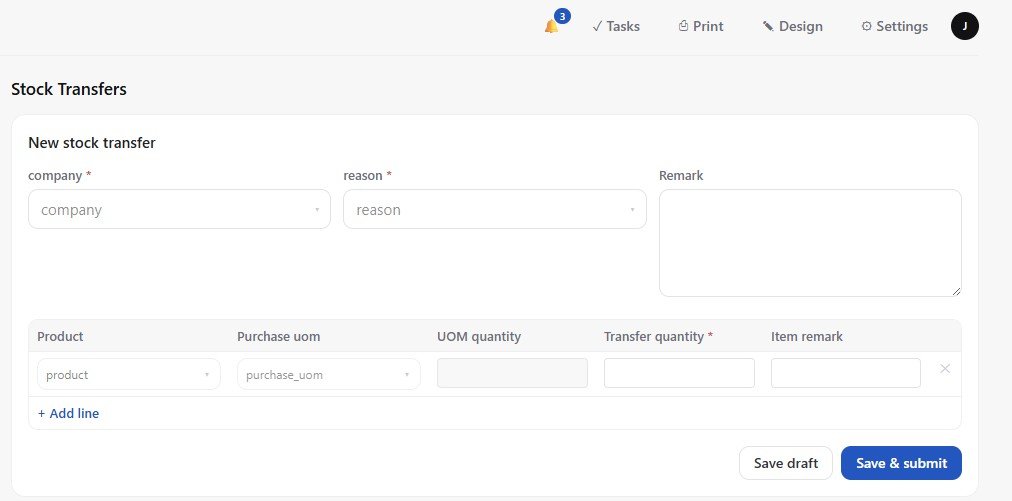
A Form in APES Is Built From Real Fields, Not a Template
In APES, a form is built directly from the fields your own data actually needs. You are not filling in someone else's template. You are describing what a request, a record, or an approval actually needs to capture, and the form follows from that.
Fields can be plain text, a number, a date, or a choice picked from a list. They can also be a formula that calculates something automatically, a lookup that pulls in a value from a related record, or a rollup that totals numbers across many related records. A field can hold a file attachment, a currency amount, a percentage, a duration, a rating, or a progress value. Whatever your team actually needs to record, there is a field type built for it, and you pick the ones that matter for this particular form.
Because these fields are real data, not just labels on a page, everything downstream understands them automatically. A number field can be summed, a date field can be filtered by range, and a choice field can be used to sort or group. The form is never separate from the data. It is simply the front door to it.
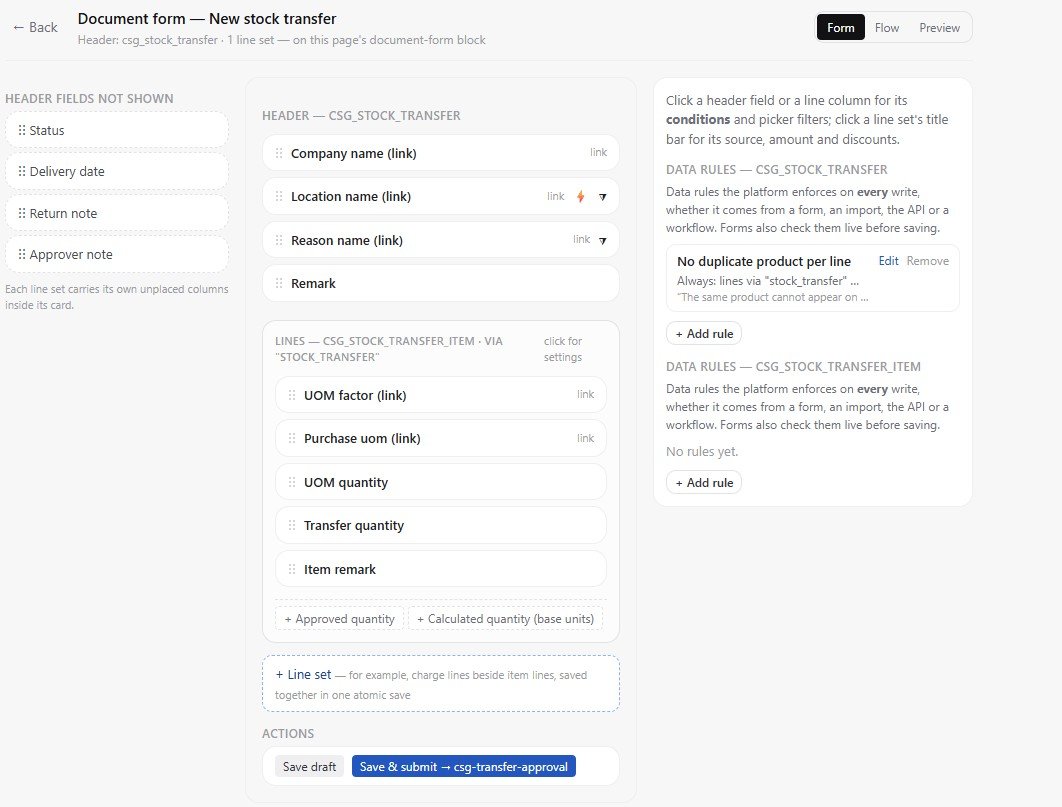
Fields Can Depend on Each Other
A form does not have to show every field all the time. Fields can appear only when they are actually relevant. Pick a company on a form and the location field for that company can appear right after it, already narrowed down to the sites that company actually has. Before that company is picked, the location field simply is not shown, because there is nothing sensible to fill in yet.
This matters because a long form full of fields that rarely apply is confusing to fill in. A form that reveals fields only when they matter feels shorter and clearer, even though it can still capture everything a more complicated request might need.
Rules Keep a Form Honest Without Extra Code
A form is only useful if the data that comes out of it is trustworthy. APES lets you attach rules directly to a collection's fields, and those rules apply everywhere that collection's form appears.
A rule can say that a field must be filled in before a record can be saved. Another rule can say that two fields must agree with each other, such as making sure a return date on a request is not set before its start date. These rules are declared once on the collection itself, not copied into every page that happens to use it, so a rule you set up stays correct even as new forms and pages get built around the same data later.
Some Forms Approve Before They Save Anything
Not every form should save a record the moment someone submits it. Some requests need a decision first. APES has a form mode built specifically for this: nothing is saved to your real records until the request is actually approved.
This kind of form has a header, for the overall request, and it can also have a list of line items underneath it, for requests that involve more than one thing at once, such as several items on a single order. Whoever needs to decide on the request sees exactly what was submitted, laid out clearly, before making a call. Only once it is approved does the information become a real, saved record in your system. If it is declined, nothing was ever created that needs to be cleaned up afterward.
This is a genuinely different way of handling a request compared to saving it immediately and hoping someone notices it needs review. The approval step is built into the form itself, not bolted on as a separate process afterward.
Building a Form Happens on the Page Itself
Building or changing a form in APES does not require opening a separate design tool or waiting for a release. You switch the page into design mode while your workspace stays live, and every part of the page becomes editable directly where it sits.
A page is built from blocks. A form is one kind of block, sitting alongside tables, headings, and buttons. Hover over any block and a small toolbar appears, letting you drag it to a new position, open its settings, or remove it. A table block next to a form can be set to show a “New record” button, let people click a row to open its full detail, or apply a filter that everyone viewing the page sees the same way.
Every change made in design mode saves immediately, the same way editing a menu or a field does. There is no separate publish step and no waiting for a deployment. What you see while editing is exactly what your team sees a moment later.
Nothing Gets Overwritten Later
A real concern with software that lets you customize things yourself is what happens when the underlying system gets updated. APES is built so that installing an update to a module never overwrites the changes your workspace has already made. If you added a field, changed a form's layout, or set a rule of your own, that customization survives the next update, without needing to be redone.
Removing a module works the same careful way. Disabling a module hides its pages and switches off its collections, but nothing is deleted. Turning it back on brings everything back exactly as it was left.
Built for Whoever Actually Understands the Problem
The person who understands a business process best is usually not a developer. It is the manager who runs it every day, or the team member who fills in the same request every week and knows exactly where the current form falls short.
APES is built so that person can be the one who fixes the form, instead of writing up a request and waiting for someone else to build it weeks later. Building a form or adjusting one does not require a technical background. It requires knowing what your business actually needs to ask for, which is something the people closest to the work already know better than anyone else.
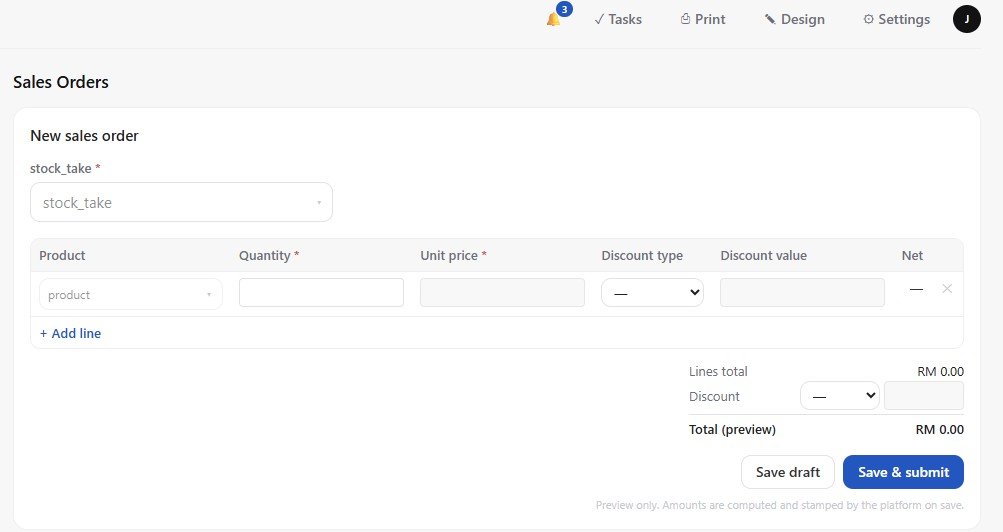
A Form That Grows With the Business
A form built in APES is not something you get right once and then leave alone forever. As a business changes, its forms can change with it. A new field can be added when a new requirement shows up. A rule can be tightened once a mistake shows exactly what should have been caught earlier. An approval step can be added to a form that used to save records immediately, once that request starts to matter enough to need real sign-off.
This is the real difference between a form someone else built for you and a form your own team builds for itself. One stays fixed until you pay someone to change it. The other keeps up with how your business actually works, for as long as it keeps changing.