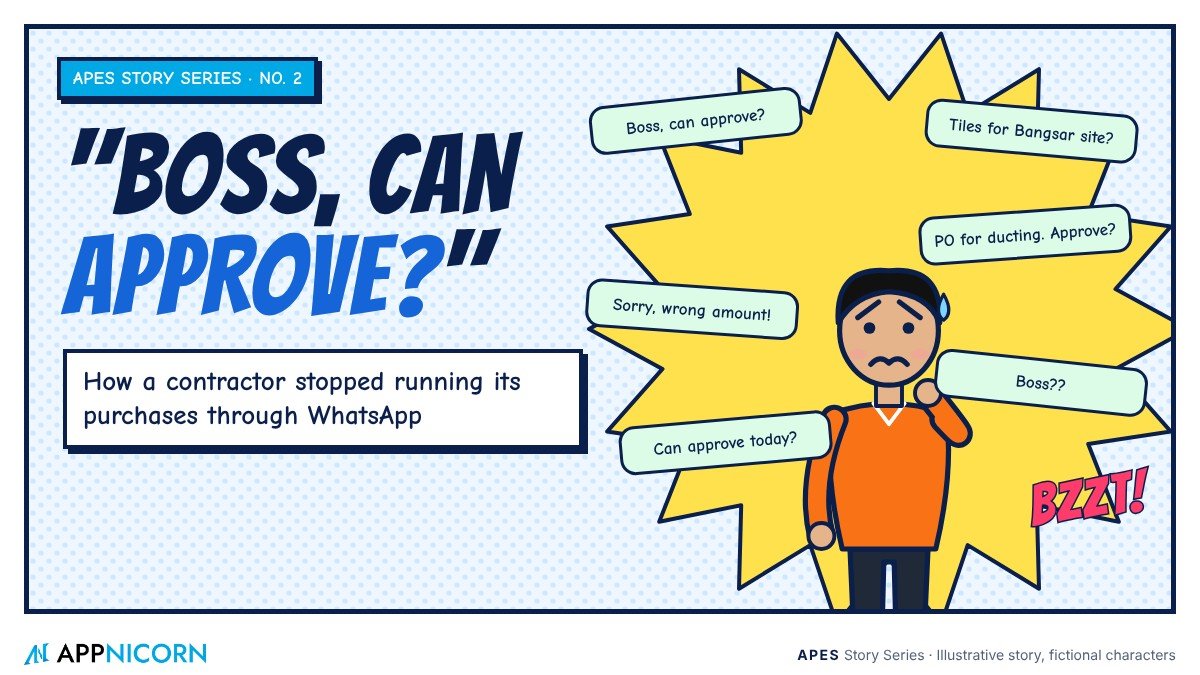
This is an illustrative story. The company, the people and the numbers are fictional, but the problem will be familiar to almost every project-based business in Malaysia.
Meet Kevin, and his phone
Kevin runs an interior fit-out company. His team designs and builds offices, clinics and retail shops, usually several projects at once, each with its own site, its own deadline and its own very particular client.
Business is good. That is the problem.
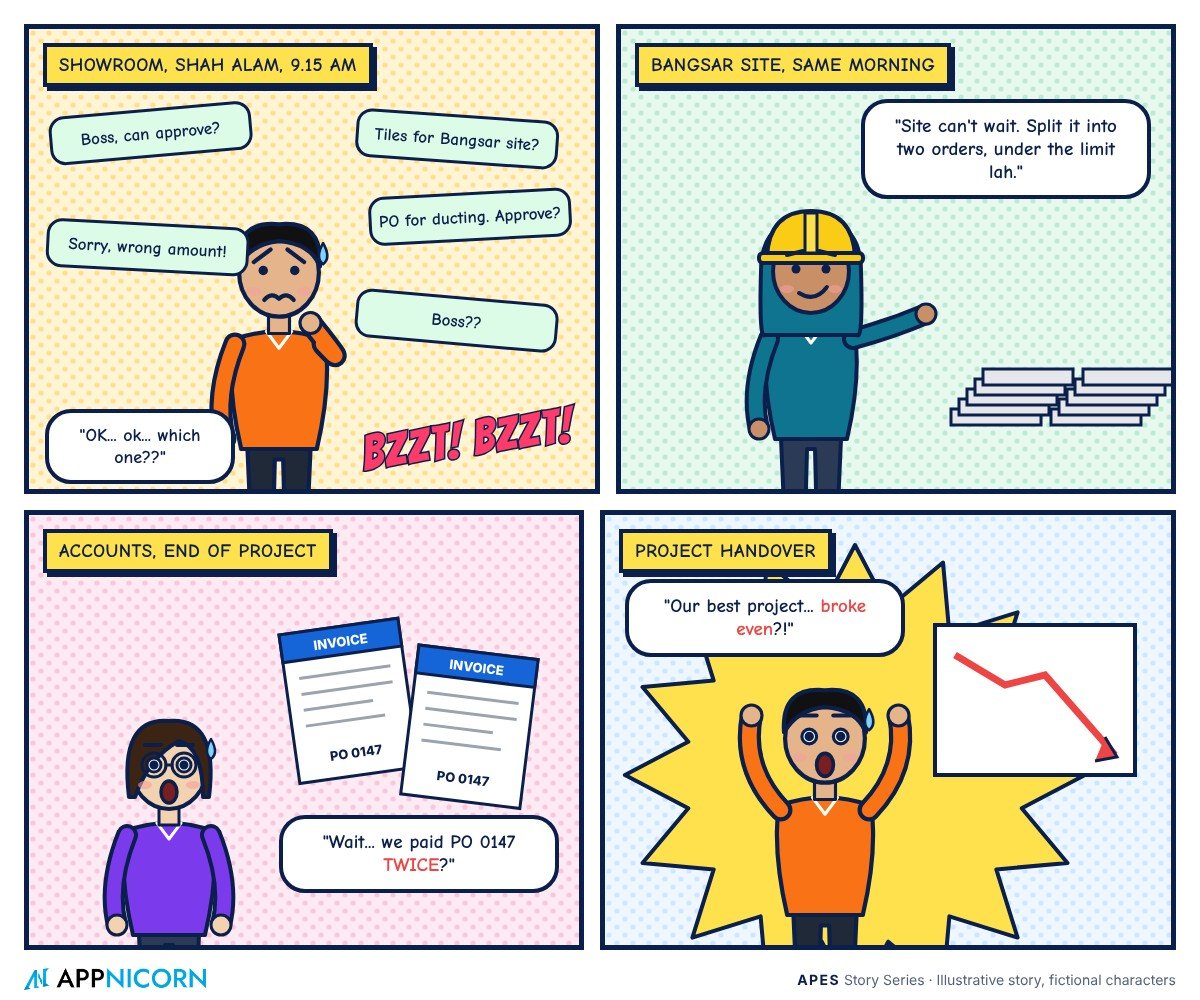
On a Tuesday morning, Kevin is at a supplier showroom in Shah Alam choosing materials for a new project. His phone has not stopped vibrating since 8 am. He glances at it between conversations.
"Boss, can approve? Tiles for Bangsar site. Supplier wants confirm today."
"Boss, PO for aircon ducting, attached quotation. Can approve?"
"Boss, sorry, the earlier one wrong amount. This one correct. Can approve?"
"Boss??"
Kevin replies "ok" to the first, "ok" to the second, and asks "which one?" to the third. By lunchtime he has approved eleven purchases from a showroom floor, on a five-inch screen, without opening a single attachment properly. He is not careless. He is busy, and the business has quietly made him its approval system.
How purchasing really worked
Like many growing contractors, Kevin's company had a purchasing process that made sense when it had two projects and ten staff.
When a site needed materials, the project manager, Siti, sent a message to the purchasing executive, Raj, with what she needed. Raj collected quotations, usually by phone and email, and sent the best one to Kevin on WhatsApp for approval. Once Kevin replied "ok", Raj typed up a purchase order in a Word template, gave it the next number from a notebook, and sent it to the supplier.
When the goods arrived on site, someone signed the supplier's delivery order, which then travelled back to the office in a site supervisor's bag, or did not. When the supplier's invoice came in, Jenny in accounts matched it against the purchase order as best she could, and paid it.
At the end of each project, Kevin would sit down with Jenny to work out whether it had made money.
The day the numbers did not add up
The trouble surfaced at the close of a large office fit-out. On paper, it had been one of the best projects of the year. When Jenny finished pulling together the costs, it had barely broken even.
They went through the purchases line by line. It took two full days. What they found was not one big mistake but a collection of small ones.
A batch of tiles had been ordered twice: once by Siti directly with a supplier she trusted, and once by Raj through the official route. Both had been approved on WhatsApp, a few days apart, in different chats. One supplier invoice had been paid twice, because the handwritten purchase order numbers in the notebook had been reused after a page was torn out. Several purchases had been split into two smaller orders on the same day, which kept each one under the amount that needed Kevin's approval. Nobody had meant any harm; the site simply could not wait. And a set of variation works the client had verbally agreed had never been formally recorded, so the extra materials were bought but never billed.
Each item, on its own, was explainable. Together, they had eaten the project's margin.
The pain points behind the story
When Kevin stepped back, he could see that the problem was not his team. It was how the approvals worked.
The owner was the bottleneck. Almost every purchase went through Kevin personally. When he was busy, sites waited. When sites waited, people found shortcuts.
Approvals had no context. A WhatsApp message showed a quotation, but not the project budget, how much had already been spent, or whether the same item had been ordered last week. Kevin was asked to decide with half the picture.
Nothing connected the steps. The request, the approval, the purchase order, the delivery and the invoice lived in different places. Nobody could see one purchase from beginning to end.
Controls were easy to get around. The approval limit existed only as a rule people remembered. Splitting an order, ordering directly or approving verbally were all possible, and nothing flagged them.
Project costs were invisible until the end. Kevin only learned how a project was doing after it was finished, when it was far too late to act.
There was no reliable record. When a supplier disputed a payment, or the client questioned a variation, the evidence was scattered across chats, emails, notebooks and bags.
What it was really costing
The obvious cost was the lost margin on that one project. The less obvious costs were larger.
Every project carried the same risks, so some of the same leaks were almost certainly happening elsewhere. Kevin was spending hours each week approving purchases he could not properly review, which was time not spent winning work or managing clients. Sites lost time waiting for approvals. And Kevin had no way to tell, mid-project, which jobs were drifting over budget, so problems were always discovered too late to fix.
Why the obvious fixes fell short
Kevin's first instinct was to tighten the rules. He sent a message to all staff: no purchases without a proper PO and his approval. For two weeks, sites slowed to a crawl while everything waited for him. Then the shortcuts quietly returned.
His second idea was to delegate. He gave Siti authority to approve purchases up to a limit. That helped speed, but now approvals were split between two people, still on WhatsApp, with even less visibility for Kevin.
He also looked at the purchasing features in his accounting software. They could produce a purchase order, but they had no idea about projects, budgets, site deliveries or who should approve what. They recorded purchases after the fact. They did not control them.
The real problem was that the approval rules lived in people's heads and the work lived in chat. No amount of reminders would change that.
How APES changed the story
Kevin came to Appnicorn with a simple brief: "I want to stop approving things on my phone without seeing the whole picture, but I can't slow the sites down."
The team built a purchasing module in APES around how Kevin's company actually works, with projects at the centre. Here is how a purchase looks now.
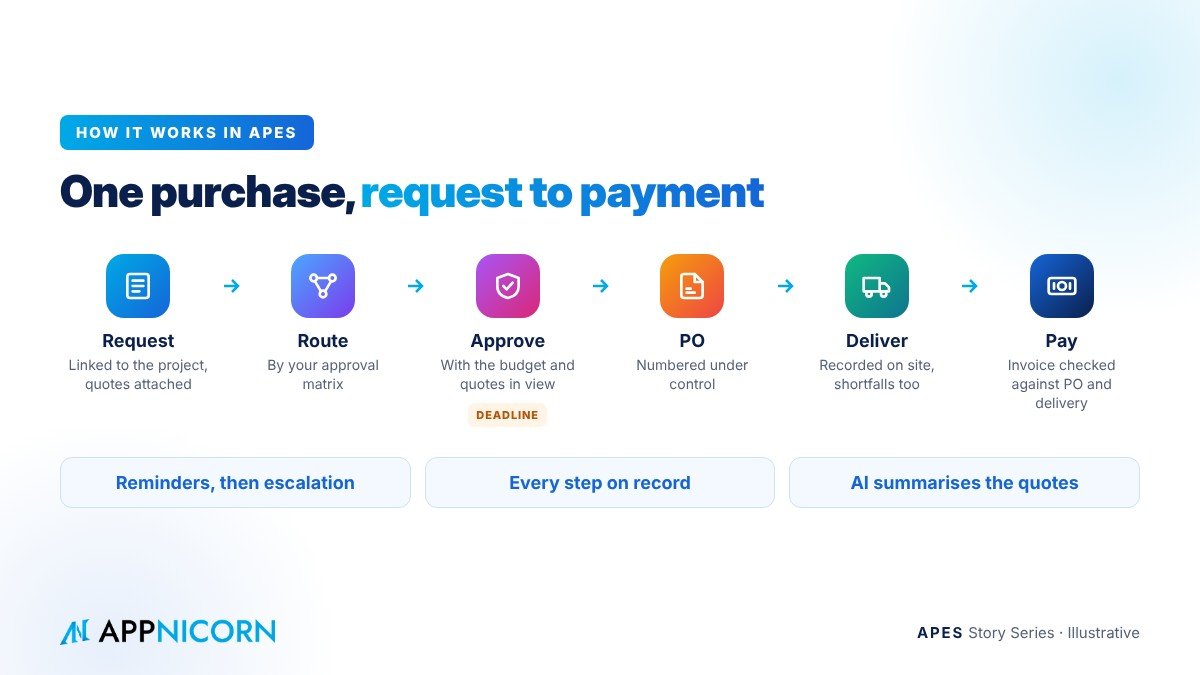
Every request starts in one place, linked to a project. When Siti needs materials, she raises a purchase request in APES on her phone, against the project. She attaches the quotations, states what the materials are for, and marks whether it is part of the original scope or a variation. The form will not submit without them.
Approvals follow the company's own matrix. Small requests within the project's budget go to Siti as project manager. Larger ones go to Kevin. Anything outside the budget, or marked urgent, follows its own path. Nobody has to decide whom to ask, and the rules apply whether or not Kevin is in the office.
The approver sees the whole picture. When a request reaches Kevin, he sees the quotations, the project budget, what has already been committed on that project, and any similar items ordered recently. He can approve, reject or send a question back, and his decision is recorded with his name and the time.
Splitting is visible. Because every request sits against the same project, several small requests for the same item on the same day are easy to spot, and the business can choose to route them for review.
Approved requests become purchase orders. Once approved, Raj turns the request into a purchase order in APES. The PO is numbered under control, so numbers cannot be skipped or reused.
Deliveries are recorded on site. When goods arrive, the site supervisor records the delivery in APES against the PO, including any shortfall or damage. The paper no longer needs to survive the journey back to the office.
Invoices are checked before they are paid. When the supplier's invoice arrives, Jenny compares it with the PO and the recorded delivery in one view. A second invoice against the same PO stands out immediately.
Nothing sits forgotten. Each approval step has a deadline. Reminders go out as it approaches, and if a request is still waiting, it is escalated. Sites no longer wait in silence.
Every step is on record. Requests, approvals, POs, deliveries and invoice checks are kept in a tamper-evident audit trail. When a client questions a variation, or a supplier disputes a payment, the answer is already there.
AI helps with the reading. AI inside APES can read the attached quotations and summarise them for the approver, so Kevin sees the key differences at a glance. It prepares. Kevin decides.
What changed for Kevin's team
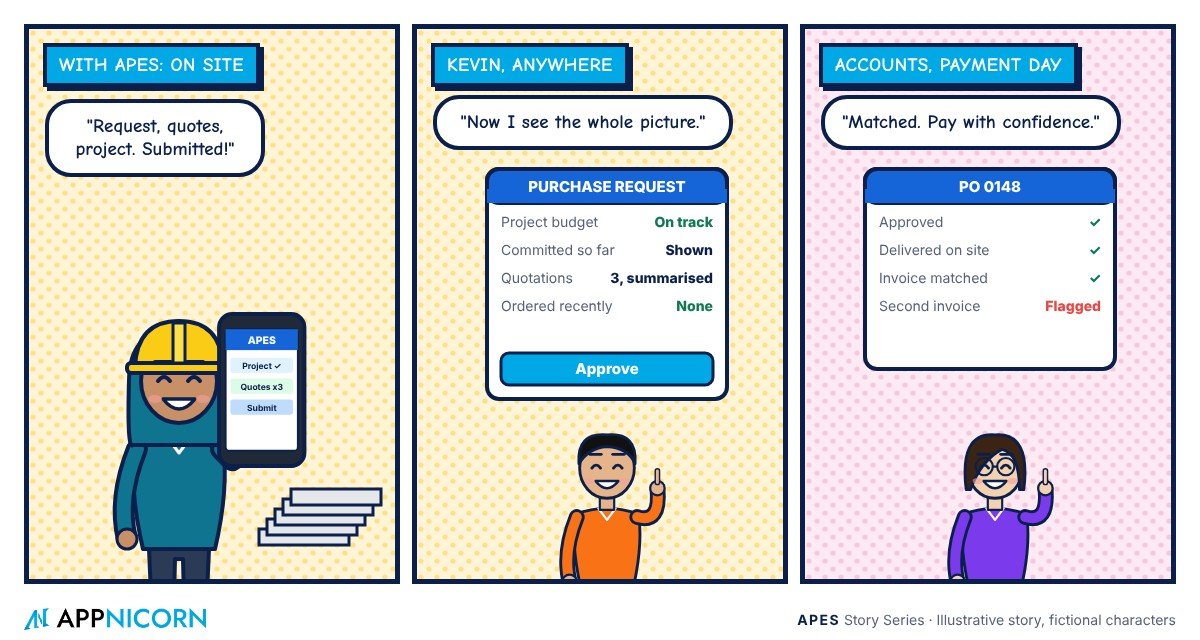
This part of the story is illustrative, but it shows the kind of change a business can expect.
Kevin still approves the purchases that matter. The difference is that he approves them with the full picture in front of him, and he no longer approves the ones that do not need him. His phone is quieter. Siti approves routine site purchases within her authority, so sites move faster than before, not slower. Raj no longer keeps a notebook of PO numbers. Jenny pays invoices knowing that what she is paying for was approved and delivered.
And for the first time, Kevin can see how each project is tracking while it is still running. When a project starts to drift, he finds out in week three, not at handover.
The next large fit-out closed with no surprises. That, Kevin says, was the whole point.
Is this your business?
You do not have to be a contractor to recognise Kevin's Tuesday. Ask yourself a few questions.
How many purchase approvals reach you by WhatsApp each week? When you approve one, can you see the budget and what has already been spent? Could someone split a purchase to stay under a limit without anyone noticing? Can you trace one purchase from request to payment in a few minutes? And do you know how your current projects are doing, or only how your last ones did?
If those questions make you uncomfortable, the issue is probably not your team. It is that your approvals live in chat.
Bring us your "Boss, can approve?"
APES (said "A-pes") is a custom ERP made by Appnicorn, a Malaysian IT company with years of experience building business systems. Every module in APES is customised to your company's unique needs, whether that is purchasing, projects, stock, delivery, claims or a process unique to your industry.
In APES, your approval rules are built into the work itself. Requests go to the right people with deadlines and escalation, documents are numbered under control, and every step is kept in a tamper-evident audit trail. Each business gets its own workspace, so requests, approvals and the work they control all sit in one place. If the module you need does not exist yet, Appnicorn designs and builds it with you.
Pricing depends on the process being built, so the best first step is a conversation. Bring us a screenshot of your busiest approval chat, and we will show you how those same requests would run in APES.