Most directors do not lack information. They lack it on time. The sales figures arrive after the month has closed. The stock count is only accurate on the day someone counts it. A discount that should never have been given is found when the margin report comes in, weeks after the goods have left the warehouse. By the time a problem reaches the boardroom, it has usually already cost the business money.
The cause is rarely the people. It is the way the work is held together. In many growing companies, the real operating system is a mix of spreadsheets, WhatsApp groups, email threads, paper forms and a few separate apps, connected by staff who remember what needs to happen next. That arrangement works when the company is small. As it grows, it quietly becomes the biggest risk in the business.
A custom ERP is one way to fix this at the root. This guide is written for business owners and senior managers who want to understand, in plain terms, what a custom ERP is, how it actually works, what it changes for the people who run the company, and how to approach one without taking on unnecessary risk.
The hidden cost of running a business on separate tools
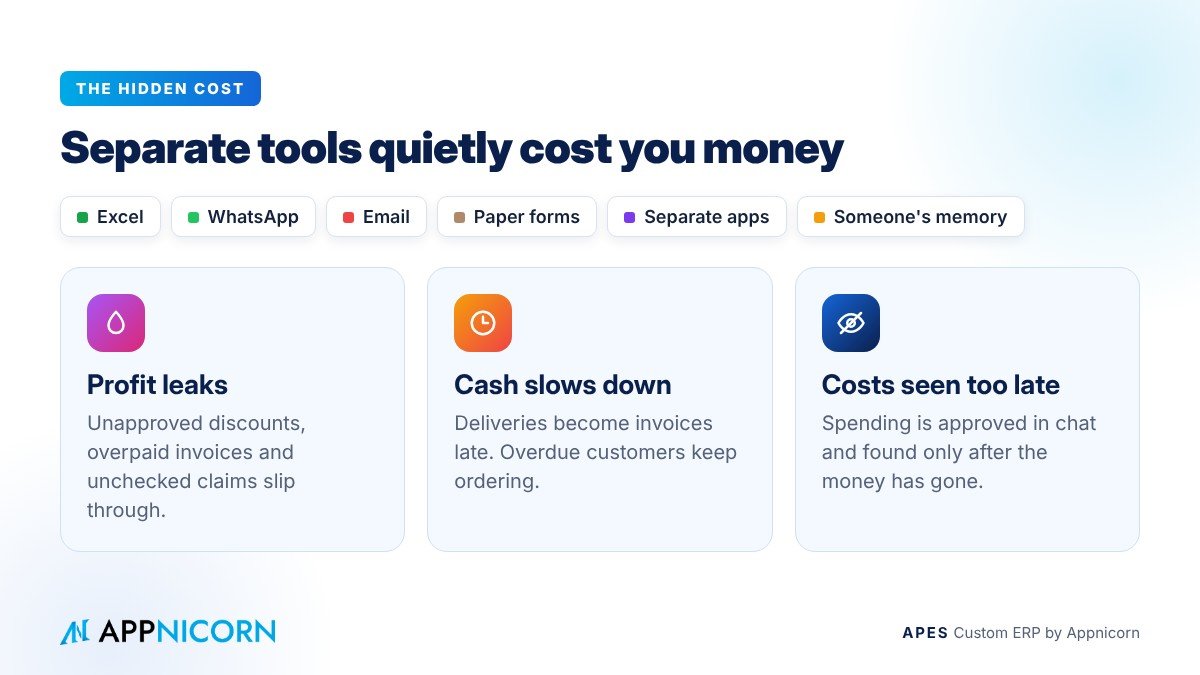
Before looking at any system, it helps to be clear about the problem it is meant to solve. When work is spread across separate tools, three things suffer, and all three show up in the accounts.
The first is profit. Profit leaks through small decisions that nobody checks: a special price that was never approved, a supplier invoice paid at a higher rate than the purchase order, a free replacement sent without a record, an overtime claim nobody questioned. None of these looks serious on its own. Across a year, they add up.
The second is cash flow. Cash slows down in the gaps between departments. A delivery is completed but finance hears about it days later, so the invoice goes out late. A customer is already past their credit terms, but sales keeps taking orders because nobody told them. Stock sits on shelves because purchasing ordered from an outdated count.
The third is cost control. When approvals happen in chat groups and spending is recorded after the fact, management can only see costs once they have been incurred. There is no reliable point at which a request can be stopped, questioned or reduced before the money leaves.
There is also a cost that never appears in the accounts: dependence on a few key people. In many companies, two or three long-serving staff "just know" how things are done. When one of them is on leave or resigns, the process breaks, because it was never written into a system in the first place.
What a custom ERP actually is
ERP stands for enterprise resource planning. Behind the jargon is a simple idea: one system that connects the main activities of a business, so that information entered once is available to everyone who needs it, and every step follows the company's agreed rules.
A custom ERP is an ERP built around how your company works. Your forms, your approval levels, your document flow, your terms and your reports are designed into the system, instead of your team having to change its way of working to match a fixed template.
For a director, the most useful way to think about it is this: a custom ERP turns your operating procedures into a working system. The rules you already have, such as who may approve what, which documents are required, and what must happen before an order ships, stop living in people's heads and policy files. They become part of how the work moves, every time, for everyone.
How a custom ERP works, in business terms
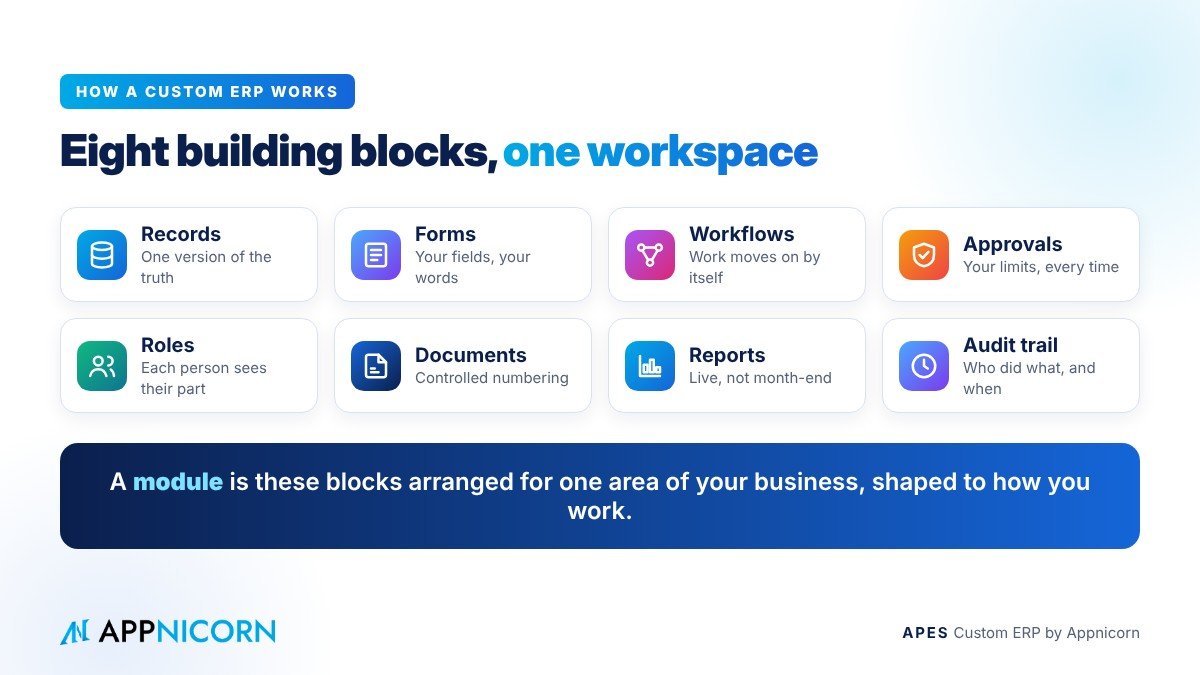
Every custom ERP, whatever the industry, is built from the same small set of building blocks. Understanding them makes it much easier to judge any proposal put in front of you.
The first building block is records. These are the things your business keeps track of: customers, suppliers, products, orders, jobs, assets, claims. Each record is stored once, in one place, so there is a single version of the truth. When sales and finance look at a customer, they see the same customer, with the same credit terms and the same outstanding orders.
The second is forms. A form is how information enters the system: a purchase request, a sales order, a site inspection, an expense claim. In a custom ERP, each form asks for exactly the information your business needs, in your own terms, and can refuse to be submitted until the required details are complete.
The third is workflows. A workflow is the path a piece of work follows from start to finish. When a purchase request is submitted, the workflow decides where it goes next, who must act on it, and what happens after they do. This is what removes the chasing. Work moves to the next person automatically, and if it stalls, the system notices.
The fourth is approvals and rules. These are your company's controls, written into the workflow. A request below a set amount may go to a department head, while a larger one goes to a director. A discount above a limit is held until someone senior agrees to it. Deadlines can be set, and a request that is left waiting can be escalated to the next person instead of being forgotten.
The fifth is roles and permissions. Every person sees and does only what their role allows. A sales executive can create an order but cannot change the price list. A store clerk can receive goods but cannot approve payment. For management, this is what makes delegation safe.
The sixth is documents. Purchase orders, delivery orders, quotations and certificates are produced from the records themselves, in your format, with controlled numbering, so documents cannot be skipped, duplicated or quietly reissued.
The seventh is reporting. Because every step happens inside the system, reports and dashboards draw on live information, not on numbers collected by hand at the end of the month. Management can see what is waiting, what is late and what has been approved, while there is still time to act.
The last is the audit trail. Every action is recorded with who did it and when. When a customer disputes a charge, a supplier questions a payment, or an auditor asks how a decision was made, the answer is already on record.
What a module is, and how far it can be customised
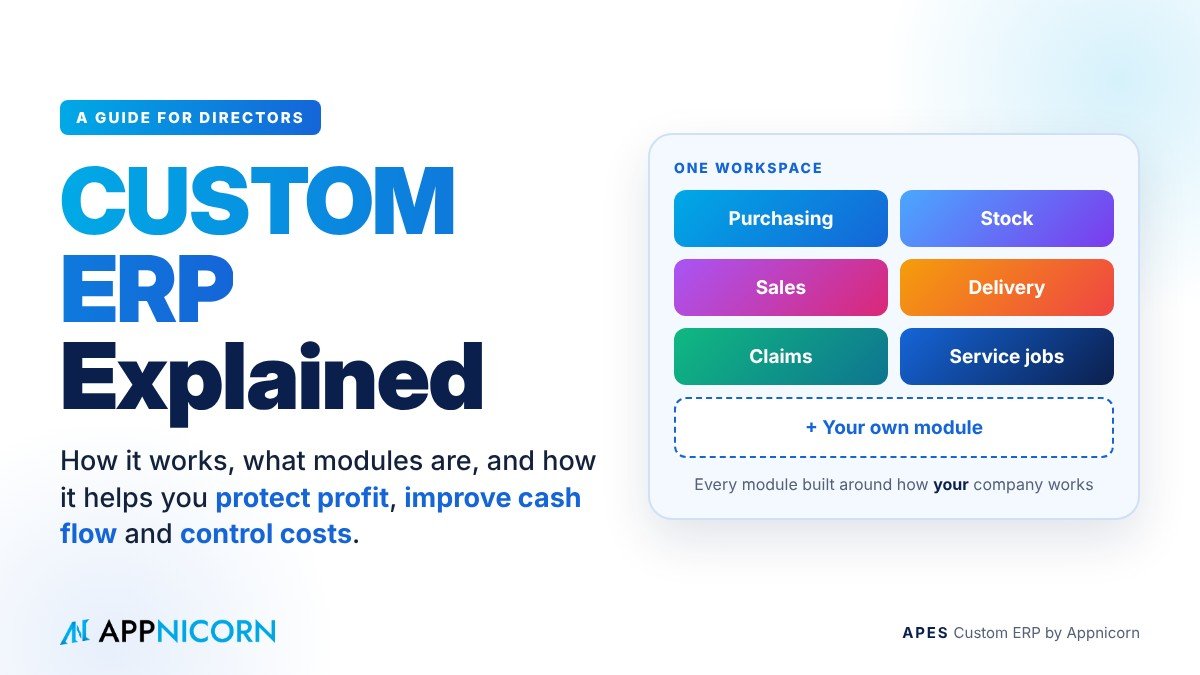
A module is one area of the business, built from those same building blocks. A purchasing module handles requests, approvals, purchase orders and goods received. A stock module tracks what you have, where it is and how it moves. A sales module covers quotations, orders and deliveries. A claims module takes staff expenses from submission to approval. A service module handles jobs, technicians and checklists.
Modules share the same foundations. They use the same records, the same users and the same rules, which is why they work together. A confirmed sales order can reserve stock. Low stock can trigger a purchase request. A completed delivery can tell finance to invoice. That connection is what turns a set of tools into a system.
In a custom ERP, every module can be customised. That includes the fields on each form, the steps in each workflow, the approval levels and limits, the documents and their numbering, the reports, and who can see and do what. It also goes beyond adjusting what exists. If your business has a process that no standard module covers, such as a consignment stock count, an equipment inspection or a project milestone sign-off, a new module can be designed and built for it. The modules available today are a starting point, not a limit.
Following one transaction from start to finish
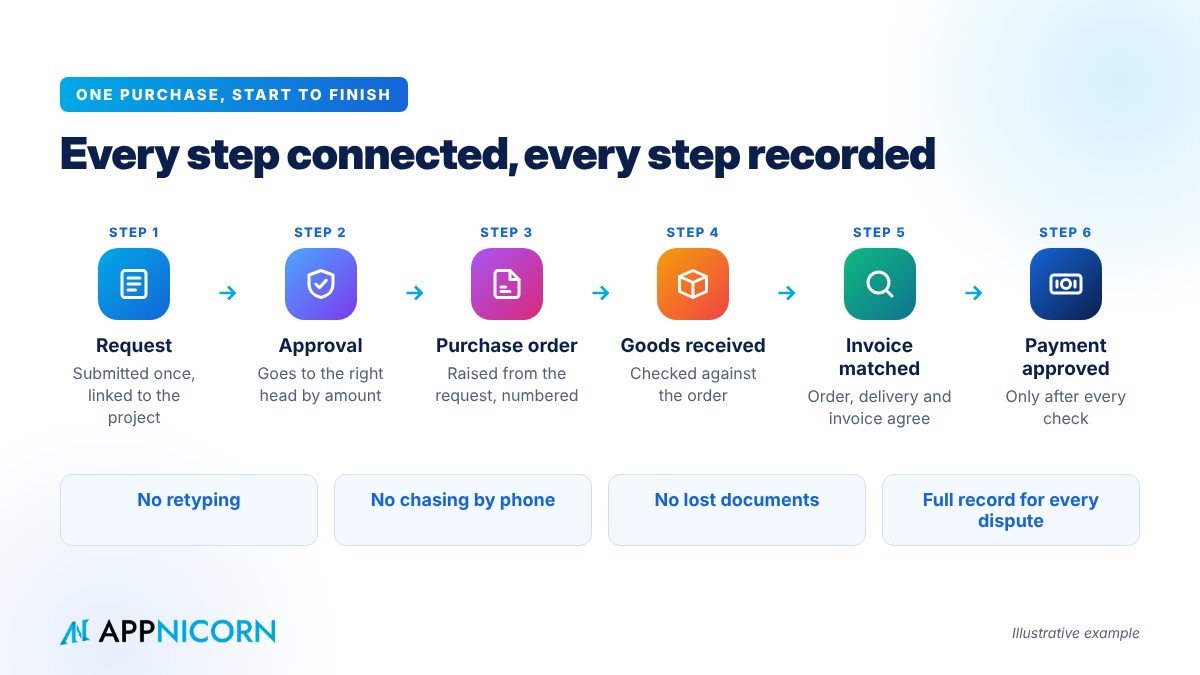
It helps to see how this plays out in a single, everyday transaction. The example below is illustrative.
A project manager needs materials for a job. Instead of sending a WhatsApp message to purchasing, they submit a purchase request in the system, linked to the project. Because the amount is above their own limit, the request goes to the department head, who approves it on their phone. Purchasing receives the approved request, raises a purchase order from it, and the order carries the next number in sequence. When the goods arrive, the store clerk records what was actually received against that order, including any shortfall. When the supplier's invoice comes in, it is checked against the order and the delivery before anyone approves payment.
At no point did anyone retype the details, chase an approval by phone or search for a lost document. If the supplier later disputes a short payment, the record shows exactly what was ordered, approved, received and invoiced, and by whom. And at any time, the director can see how much has been committed to that project, not just how much has already been paid.
Where management sees the return
The value of a custom ERP is best judged in business outcomes, not features.
It protects profit, because the controls you already believe in are applied every time. Prices, discounts, credit limits and spending approvals go through the right people before money changes hands, not after.
It improves cash flow, because the handovers that used to wait for a phone call now happen as soon as the previous step is done. Deliveries become invoices sooner. Overdue customers are visible before the next order is accepted. Stock decisions are based on current numbers.
It brings costs under control, because spending is requested and approved before it happens, and every commitment is visible while it can still be questioned or reduced.
It reduces dependence on key people, because the process is held in the system, not in someone's memory. New staff follow the same steps as experienced ones, and the company keeps running when someone is away.
And it makes the business easier to audit, finance and eventually sell. When every decision is recorded as the work happens, an audit becomes a report rather than a project, and the business can show investors, banks or buyers exactly how it is run.
Why not simply build software from scratch?
Some companies, faced with a process that no tool fits, consider hiring developers to build their own system. That can work, but it carries real risks for management. Every change needs a developer. The system depends on the people who wrote it. Upgrades are difficult, and controls such as audit trails, permissions and document numbering have to be built and maintained from nothing.
A custom ERP built on a platform takes a different approach. The building blocks described above already exist and are already governed. What is customised is how they are arranged for your business: your records, your forms, your workflows, your rules. Changes are made by adjusting that design rather than rewriting code, and the platform can be upgraded without losing what was built for you.
How a custom ERP project usually runs
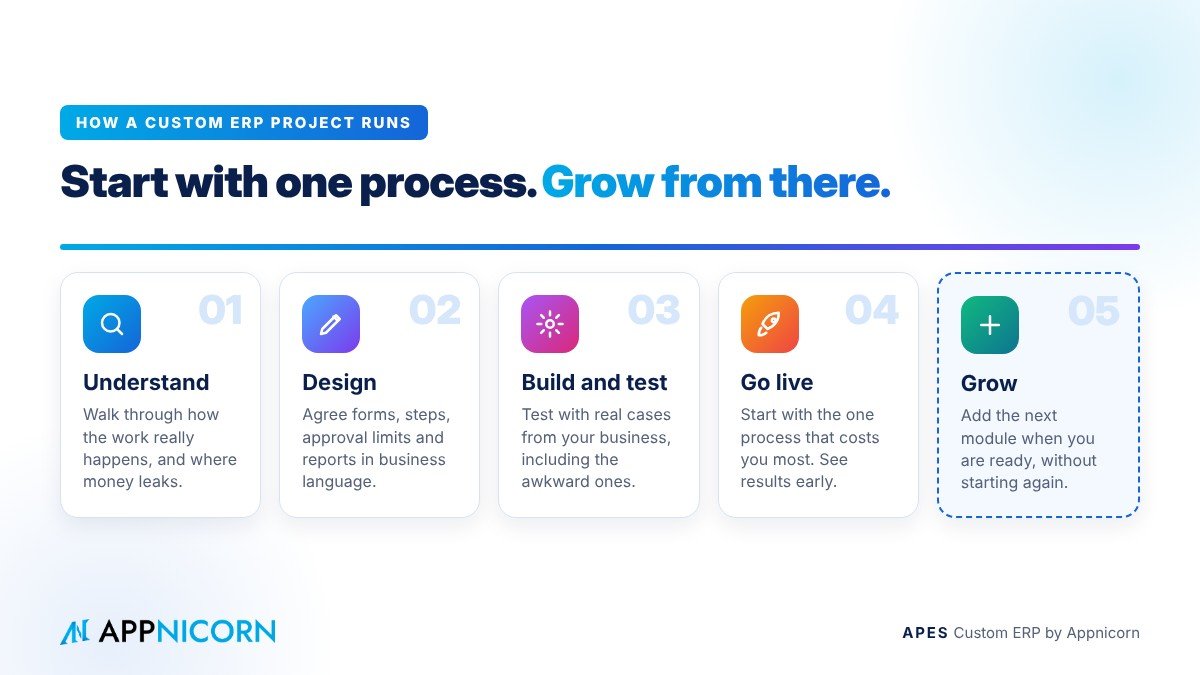
A well-run custom ERP project does not start with software. It starts with the business.
The first stage is understanding the process. The people who do the work and the people who approve it walk through how things really happen today, including the exceptions and the workarounds. This is also where the most expensive gaps tend to surface.
The second stage is design. The records, forms, steps, approval rules, documents and reports are agreed in business language, so management can confirm that the system will enforce the controls they actually want.
The third stage is building and testing. The module is built and then tested against real cases from the business, including the awkward ones, before anyone depends on it.
The fourth stage is going live with one module. Starting with the single process that costs the company most lets the team see results early and build confidence. Further modules follow once the first is working well.
Management's role throughout is to sponsor the change, make decisions on rules and approval limits, and name an owner for each process. Projects that succeed are usually the ones where a director is visibly involved.
The risks, and how to manage them
A custom ERP is a serious decision, and it is worth being clear about what can go wrong.
The most common risk is trying to do everything at once. Large, all-at-once projects take longer, cost more and are harder for staff to adopt. Starting with one process and growing from there keeps the risk contained.
The second risk is copying a broken process into a new system. If the current process has unnecessary steps or unclear ownership, putting it into software will not fix it. The design stage is the moment to simplify.
The third risk is low adoption. If staff can still work around the system through WhatsApp or spreadsheets, many will. The answer is to make the system the only route for the process it covers, and to make it easier to use than the old way.
The fourth risk is dependence on your provider. Ask how changes are made, whether your customisations survive upgrades, and whether your data can be exported. A good provider will answer these questions plainly.
Questions to ask before you commit
When you speak to any custom ERP provider, a handful of questions will tell you a great deal. Can every module be shaped to our own steps, rules and documents, and can new modules be built when we need them? Will our customisations survive when the system is upgraded? Is there a complete, tamper-evident record of who did what and when? How are roles and permissions controlled? Can it connect to the systems we already use, such as our accounting software? Can we start with one process and grow? And how is AI used, and who stays in control of decisions?
Is a custom ERP right for your company?
A custom ERP is usually worth serious consideration when several of these are true: the business has more than one department and more than one level of approval; key processes run through spreadsheets and chat groups; management information arrives late or needs to be assembled by hand; the same data is typed into more than one place; and the way you work is specific enough that generic tools never quite fit.
If that describes your company, the question is no longer whether you need a proper system. It is which process to start with.
APES: a custom ERP built around your business
APES (said "A-pes") is a custom ERP made by Appnicorn, a Malaysian IT company with years of experience building business systems. Every module in APES is customised to your company's unique needs, whether that is purchasing, stock, sales, delivery, claims, service jobs or a process unique to your industry. If the module you need does not exist yet, Appnicorn designs and builds it with you.
Each business gets its own workspace, so its modules, records and people sit in one place instead of across separate tools. APES modules are built as definitions rather than code, so they can be changed as your business changes, and upgraded without losing your customisations. Approvals are routed to the right people with deadlines and escalation. Documents are numbered under control. Every step is kept in a tamper-evident audit trail, and APES is ISO 27001-ready. APES can also connect to the systems you already rely on, including your accounting software, email and e-signing.
AI works inside APES as a governed assistant. It can read, summarise and extract information from documents, classify requests and draft the next step, but it never acts beyond the rights of the person it works for, and a person always makes the decision. As we put it: AI proposes, APES authorises.
You can choose how to start: build with your own team, have Appnicorn train you, or have Appnicorn set the system up for you. Pricing depends on the process being built, so the best first step is a conversation, not a price list.
Bring us the one process that costs your business the most today, together with a few recent cases where it went wrong. We will walk through how each one would run in APES, from the first request to the final approval, and show you where the control and the savings come from.