E-Signatures in APES With DocuSeal
Even in a business that has automated most of its paperwork, one step tends to stay stubbornly manual. A document needs a real signature, so it goes out by email, and then someone has to remember to check whether it came back, chase it up if it has not, and manually attach the signed copy to the right record once it finally does. It is a small task, but it is exactly the kind of small task that quietly eats a day when there are a dozen of them waiting at once.
APES connects to DocuSeal, an electronic signature service, so this step can sit inside a workflow like any other, rather than living in a separate inbox someone has to keep an eye on.
Sending a Document Out at the Right Moment
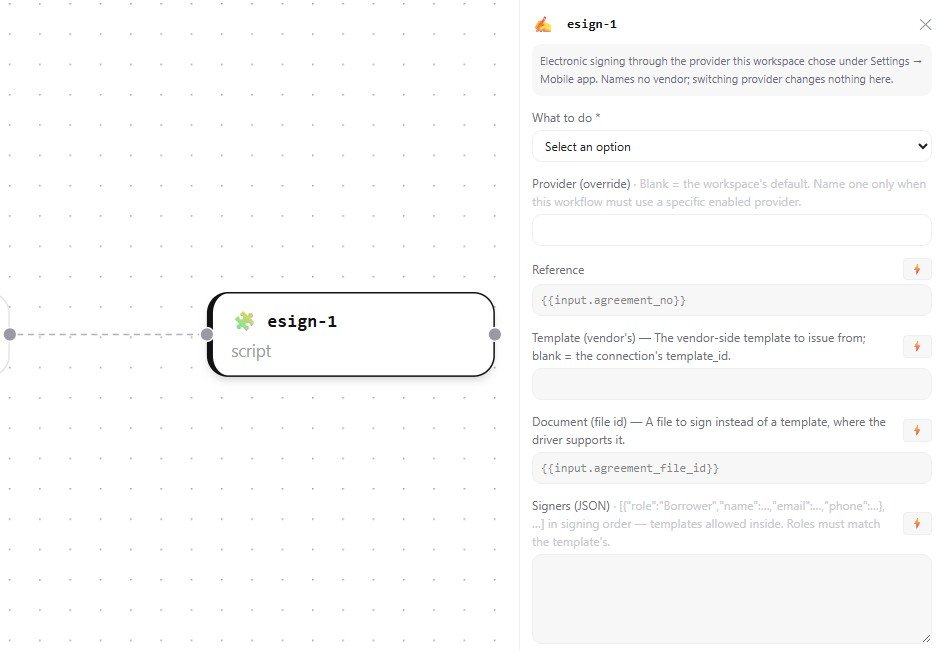
An esign step can trigger automatically at exactly the point in a process where it belongs, once a transfer has been approved, once a purchase order is finalised, once an agreement has been generated from a template. The document goes out for signature as part of the workflow itself, using the same data that triggered the workflow in the first place, rather than someone manually preparing and sending it by hand every time.
Knowing What Actually Happened, Without Watching an Inbox
Once a document is out, a workflow can track it the same way it tracks anything else, through named states that mean something specific. A document can be sent, partially signed when there is more than one signer involved, completed, declined, or expired if nobody acted on it in time. A workflow can branch on any of these, notifying the right person when a document is declined, escalating one that has gone quiet, or simply moving on to the next step the moment everyone involved has actually signed.
This is the same idea covered earlier in this series when discussing human tasks and callbacks: rather than assuming a message got through and hoping for the best, the workflow genuinely knows what state things are in and can react to it directly.
The Signed Document Comes Back on Its Own
Once everyone has signed, the finished document is retrieved and attached back to the record it belongs to automatically, without anyone needing to remember to save a copy or go looking for it later. The record that started the process is also the record that ends up holding proof it was completed, in one place, without a manual filing step in between.
Set Up Once, the Same as Every Other Connection
A business connects its own DocuSeal account to APES the same way it connects any other outside service covered in this series, as a configuration a workspace sets up once and workflows use afterward. Nothing about a signature request or a signer's details needs to be typed into an individual workflow by hand each time.
Where This Fits
Getting a document signed is rarely the interesting part of a business process, which is exactly why it is worth automating well. The next post in this series steps back from individual integrations and looks at something built entirely on APES from the ground up, a real module, and what it actually took to put one together.